> For the complete documentation index, see [llms.txt](https://help.lynda.ru/llms.txt). Markdown versions of documentation pages are available by appending `.md` to page URLs; this page is available as [Markdown](https://help.lynda.ru/novyi-redaktor-3.0/rabota-v-pro-rezhime/animaciya-bloka/sozdanie-poshagovoi-animacii.md).
# Создание пошаговой анимации
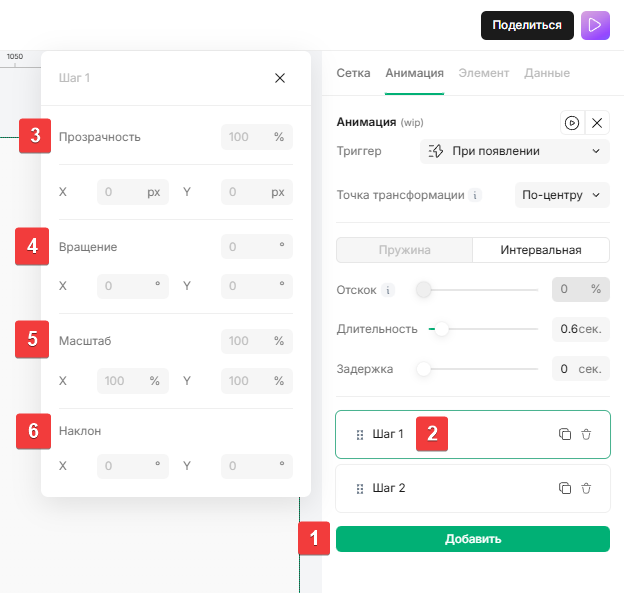
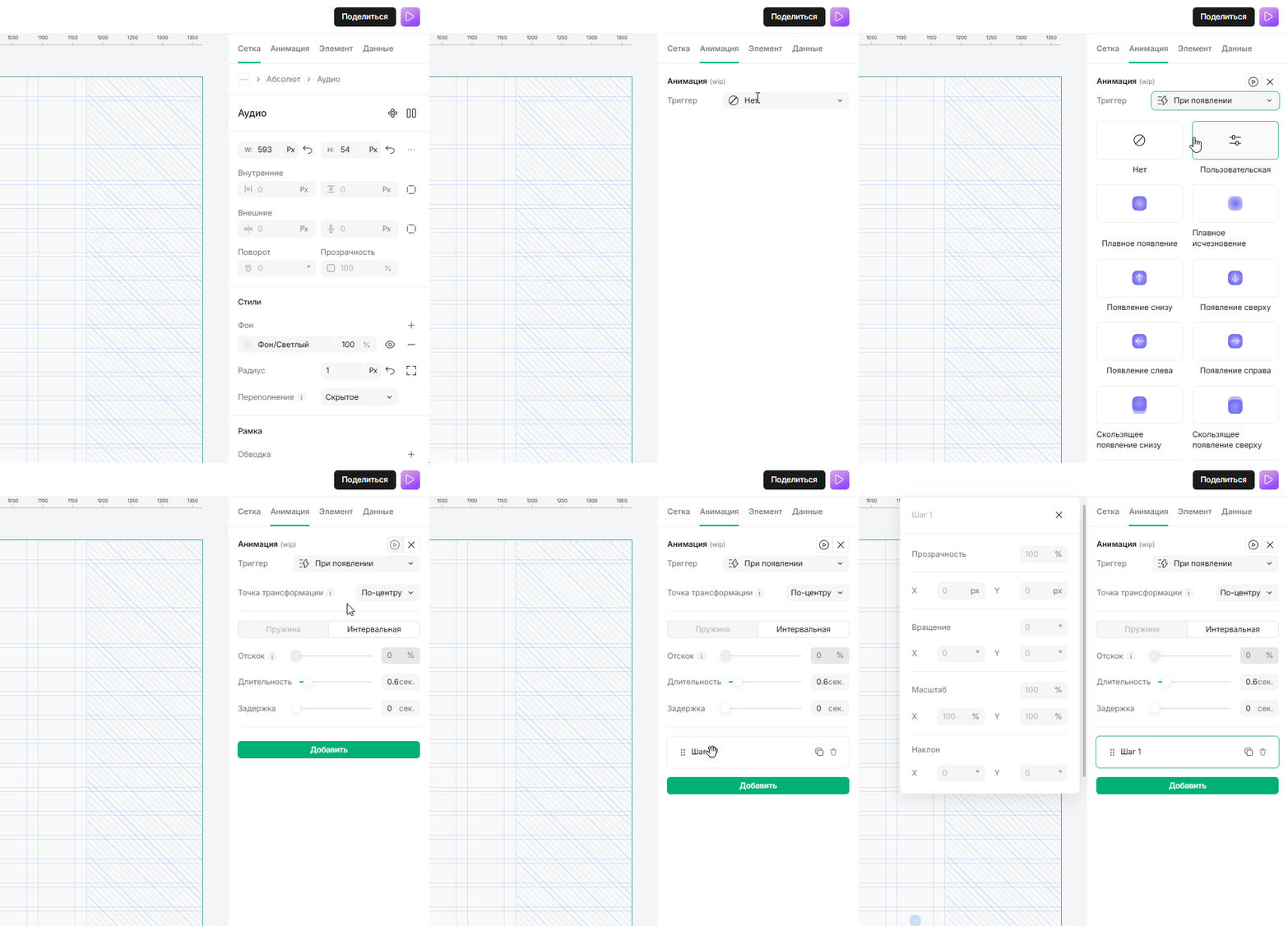
1. Нажмите кнопку «Добавить» , чтобы добавить этап анимации
2. Нажмите на «Шаг», чтобы открыть его настройки, появится всплывающее окно.\
\
Задайте свойства для визуальных преобразований.
3. Прозрачность: Контролирует прозрачность блока
4. Вращение: Вращает блок
5. Масштаб: Изменяет размер блока
6. Наклон: Наклоняет элемент подобно параллелограмму