> For the complete documentation index, see [llms.txt](https://help.lynda.ru/llms.txt). Markdown versions of documentation pages are available by appending `.md` to page URLs; this page is available as [Markdown](https://help.lynda.ru/novyi-redaktor-3.0/rabota-v-pro-rezhime/redaktor-blokov/dobavlenie-dubliruyushego-bloka.md).
# Добавление дублирующего блока
Одновременное дублирование блоков с пользовательскими настройками.
> Используется для:
>
> * Списков;
> * Информационных карточек;
> * Галереи;
> * Любых динамических данных.
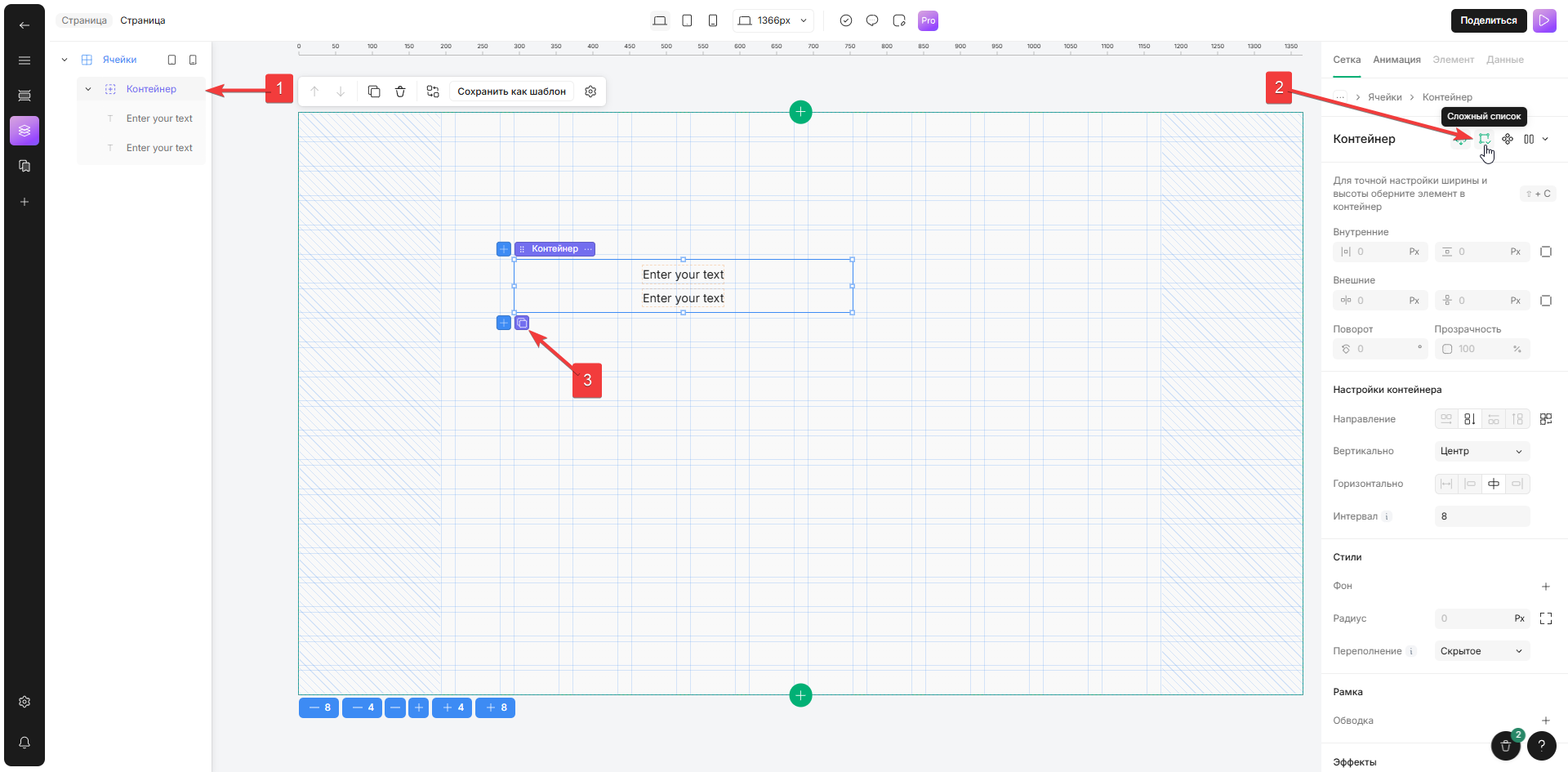
1. Выберите макет «Ячейки/Контейнеры» и заполните его блоками
2. Нажмите на значок «Сложный список», появится значок «Добавить повторяемый элемент»
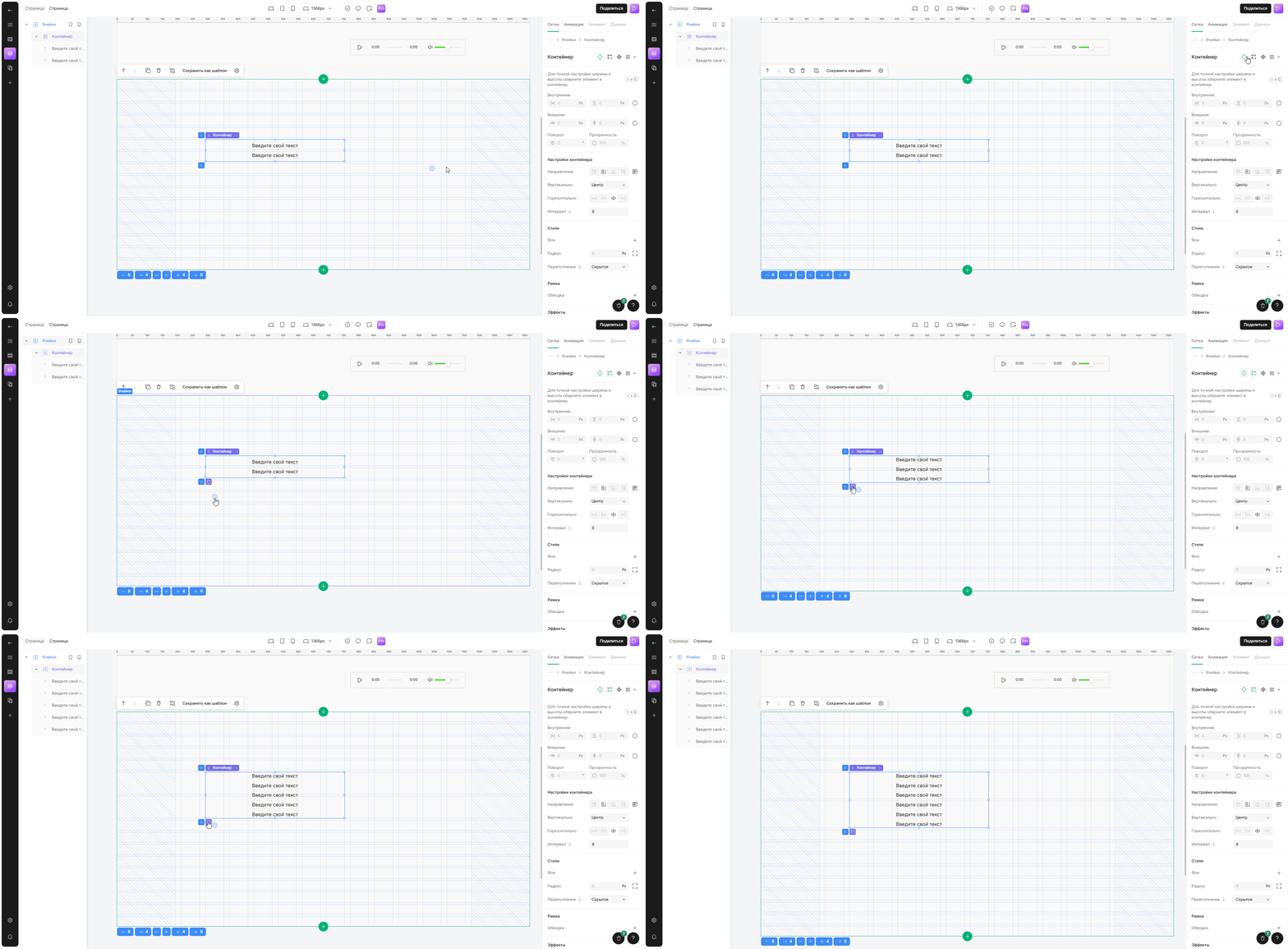
3. Нажмите на значок «Добавить повторяющийся элемент» , чтобы создать дубликат. \
*Данный блок будет продублирован в макете с теми же настройками, что и оригинальный блок*