> For the complete documentation index, see [llms.txt](https://help.lynda.ru/llms.txt). Markdown versions of documentation pages are available by appending `.md` to page URLs; this page is available as [Markdown](https://help.lynda.ru/novyi-redaktor-3.0/rabota-v-pro-rezhime/redaktor-maketa/dobavlenie-maketa.md).
# Добавление макета
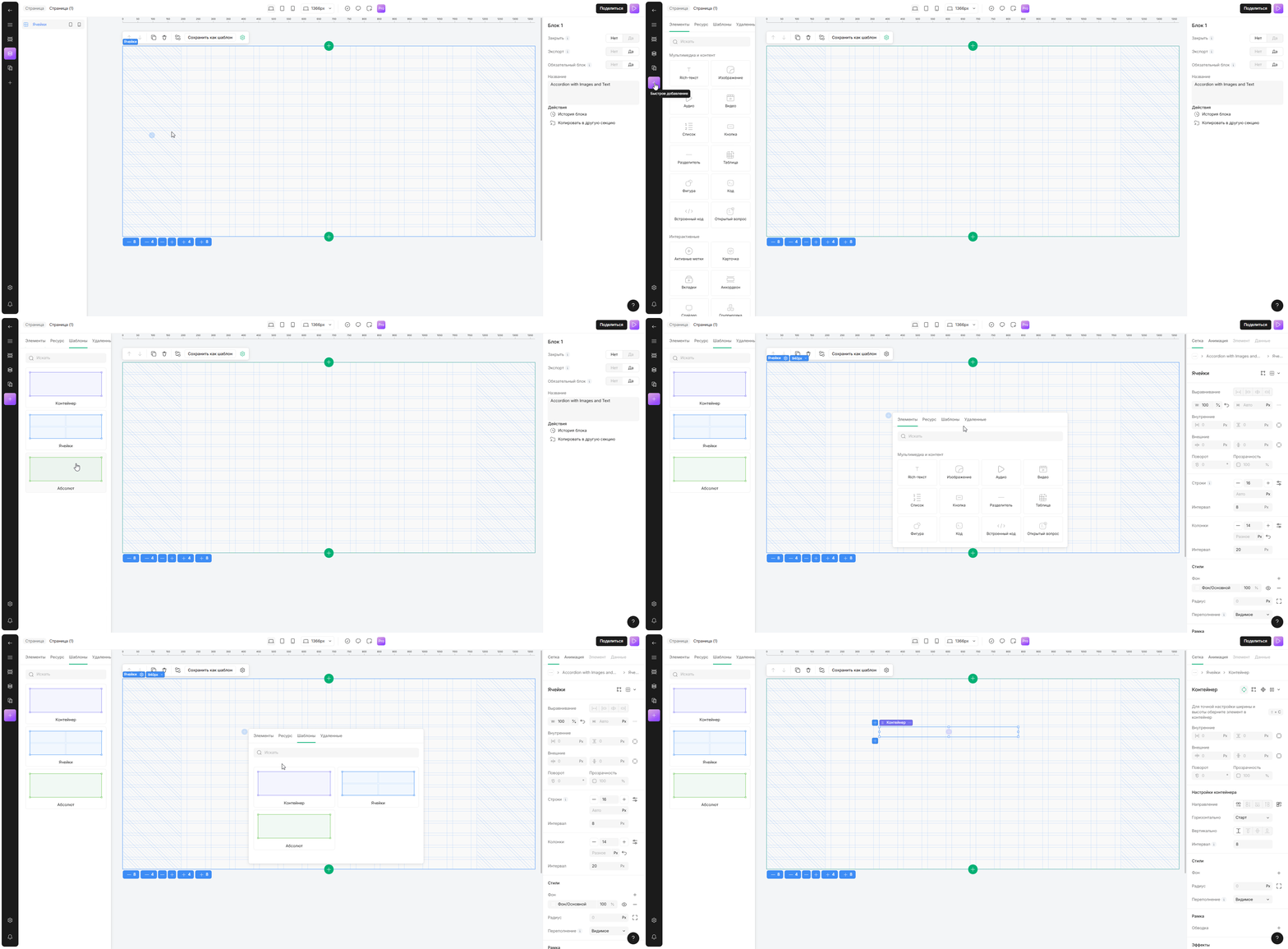
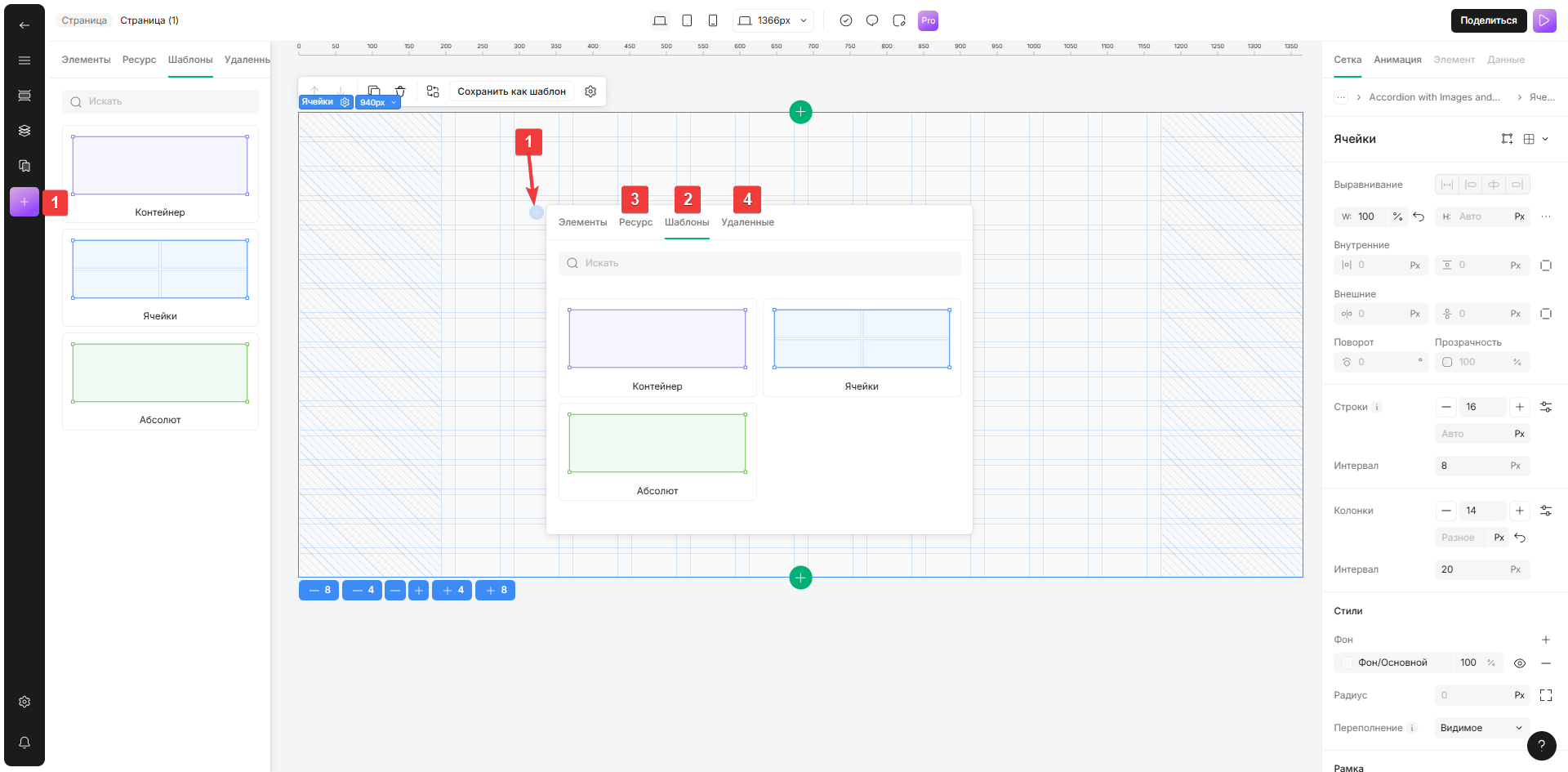
1. Нажмите на значок «+» в левом меню или в выбранном макете
2. Выберите вкладку «Шаблоны» , чтобы добавить макет из списка коллекций по умолчанию
3. Выберите вкладку «Ресурс» , чтобы добавить ранее сохраненный макет
4. Выберите вкладку «Удалённые» , чтобы добавить недавно удаленный макет
{% hint style="info" %}
Чтобы открыть окно выбора пунктов меню слева, щелкните и удерживайте элемент макета, затем перетащите его на макет.
Чтобы открыть окно выбора макета, щелкните по нему, чтобы добавить его в список макетов.
{% endhint %}