> For the complete documentation index, see [llms.txt](https://help.lynda.ru/llms.txt). Markdown versions of documentation pages are available by appending `.md` to page URLs; this page is available as [Markdown](https://help.lynda.ru/novyi-redaktor-3.0/rabota-v-pro-rezhime/redaktor-maketa/upravlenie-maketom.md).
# Управление макетом
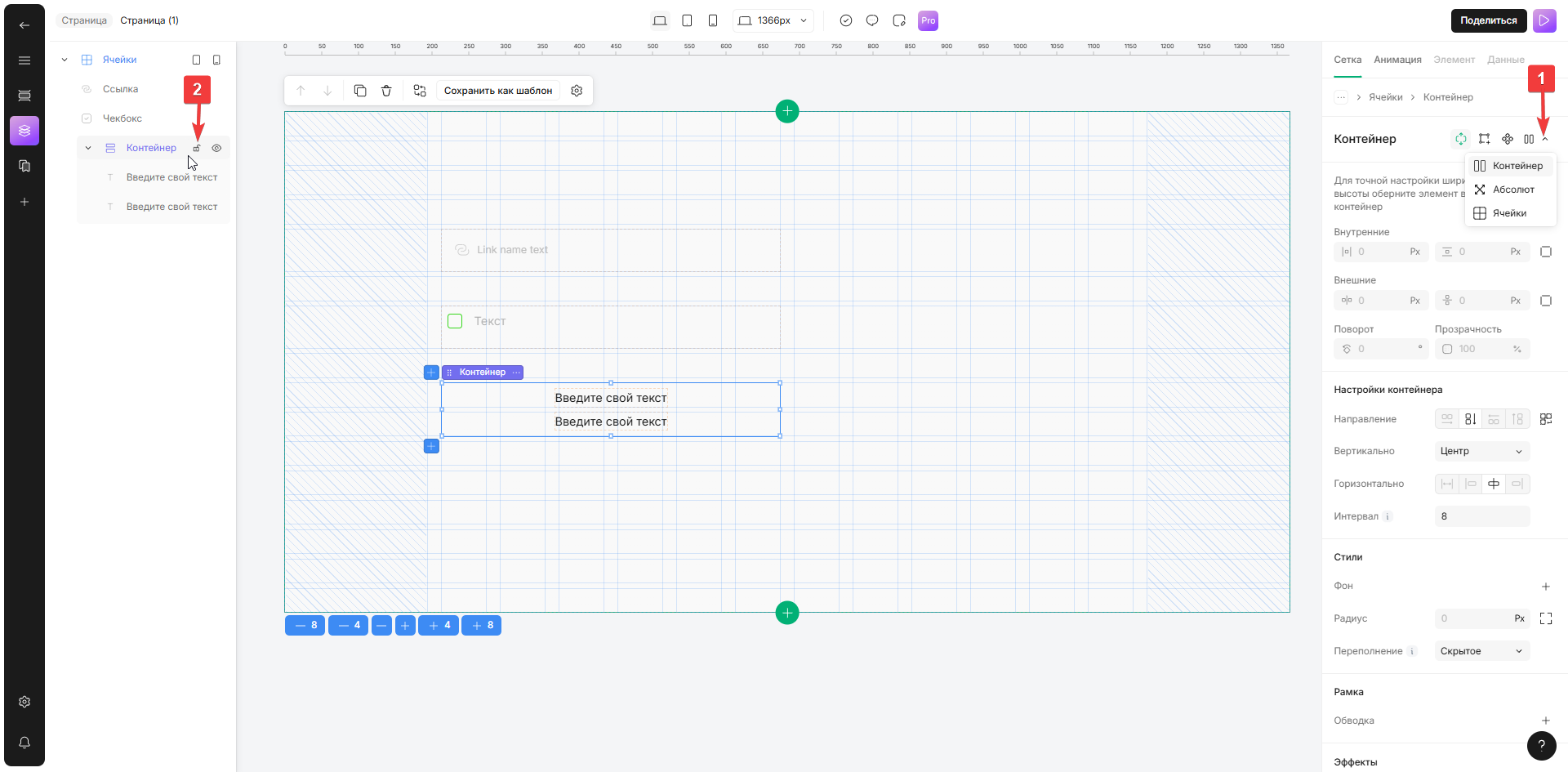
Выберите макет для выполнения действия
{% hint style="info" %}
Любые варианты управления типом макета включают в себя варианты управления блоками
{% endhint %}
1. **Кнопка переключения макета**\
*Выберите нужный макет из выпадающего меню, чтобы изменить текущий*\
Блок изменит расположение родительского элемента
2. **Блокировка/разблокировка макета**\
*На вкладке «Структура блока» нажмите на значок замка или используйте сочетание клавиш ⇧ (Shift) + L*\
Блок будет заблокирован/разблокирован для изменений