> For the complete documentation index, see [llms.txt](https://help.lynda.ru/llms.txt). Markdown versions of documentation pages are available by appending `.md` to page URLs; this page is available as [Markdown](https://help.lynda.ru/novyi-redaktor-3.0/rabota-v-pro-rezhime/stilizaciya-bloka/effekty.md).
# Эффекты
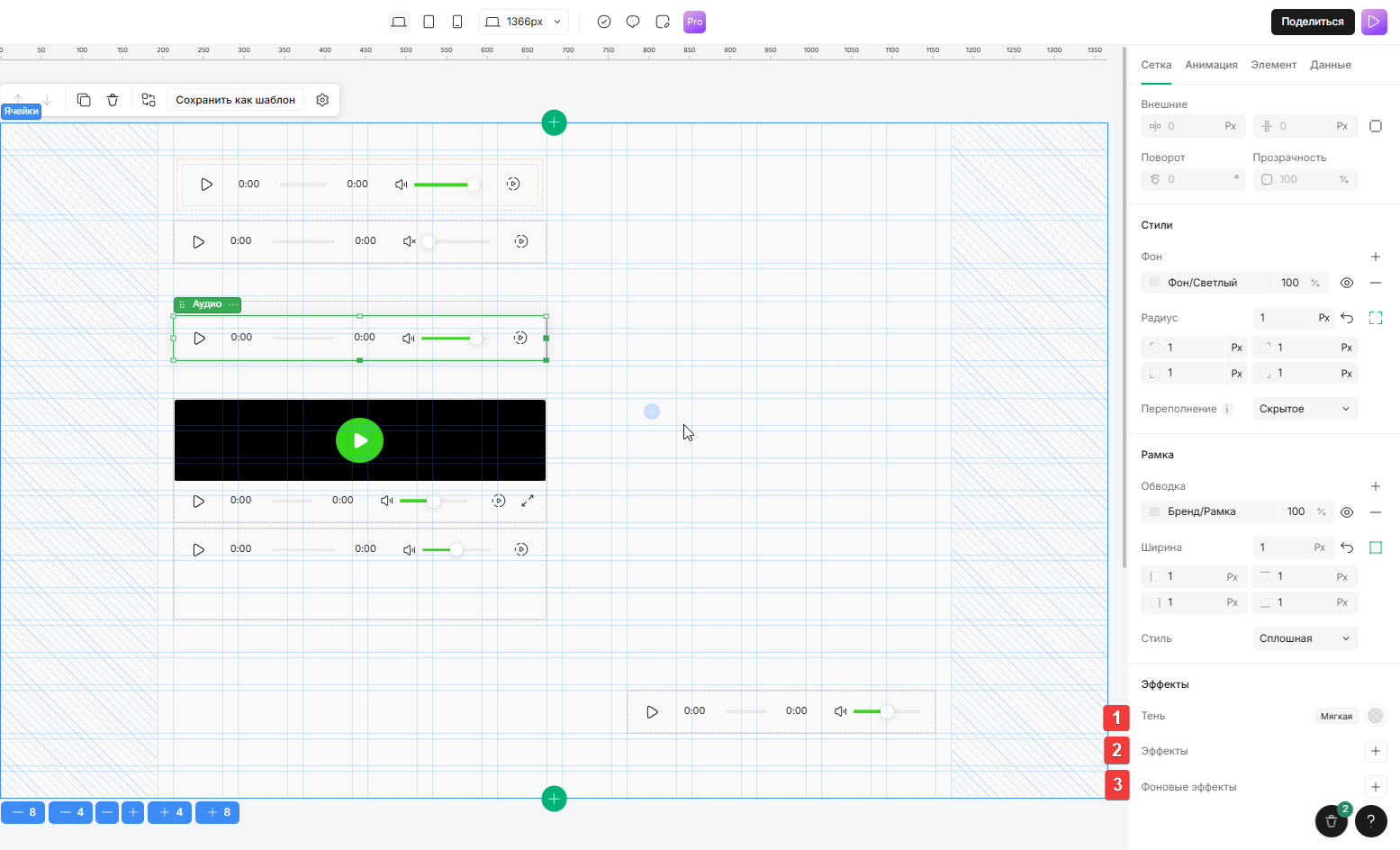
1. **Тень**\
*Нажмите +, чтобы добавить тень к элементу, выберите тип (мягкая, обычная, ретро), цвет и размер тени.*\
Установка тени для элемента
2. **Эффекты**\
*Нажмите +, чтобы добавить один или несколько визуальных эффектов к содержимому блока: Размытие, Яркость, Контраст, Насыщенность, Инверсия, Сдвиг оттенка, Сепия*\
Установка эффектов отображения элемента
3. **Фоновые эффекты**\
*Нажмите +, чтобы добавить один или несколько визуальных эффектов в область за блоком*\
Работает аналогично обычным эффектам (Полезно для создания эффектов трансформации стекла)